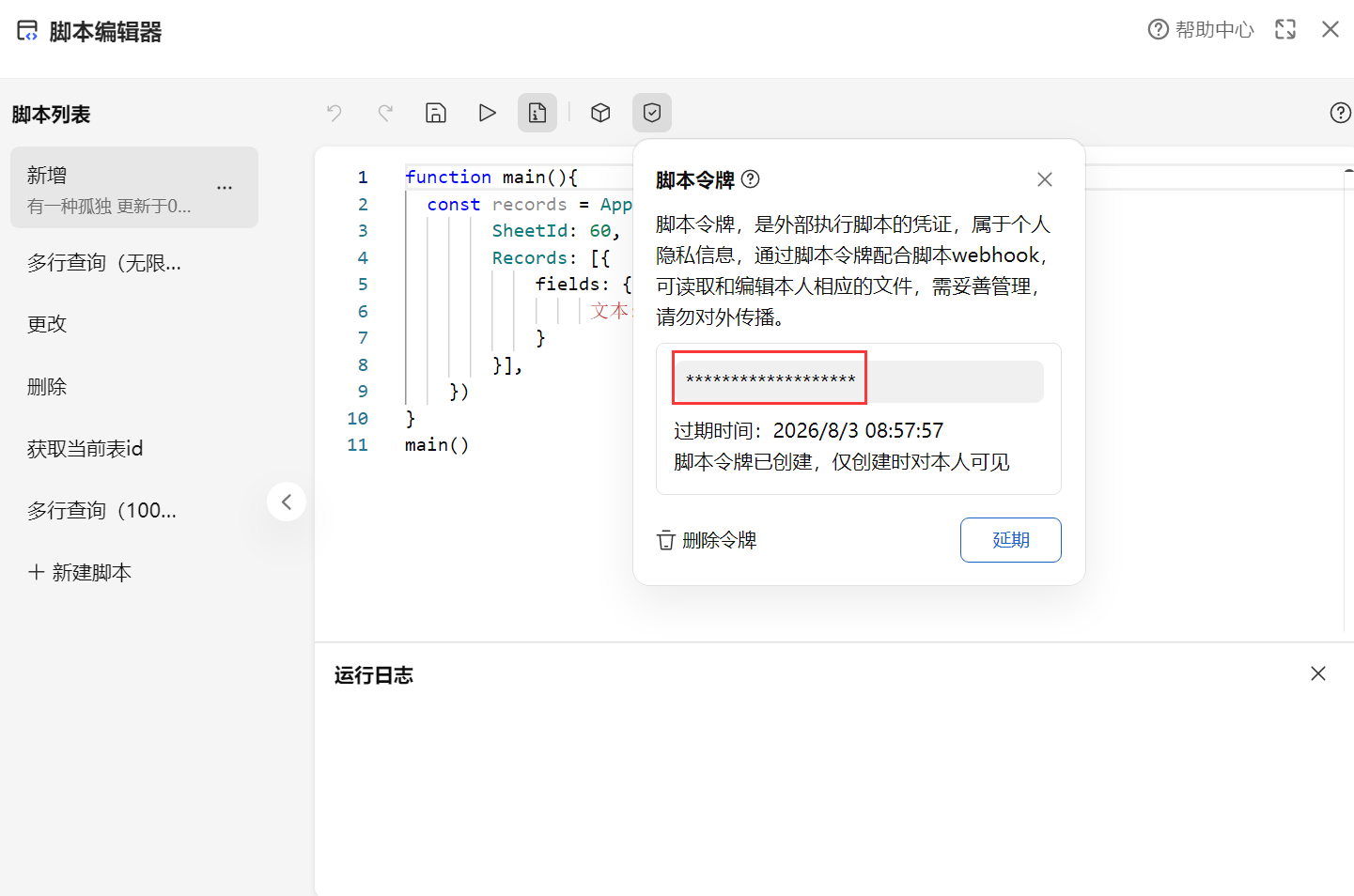
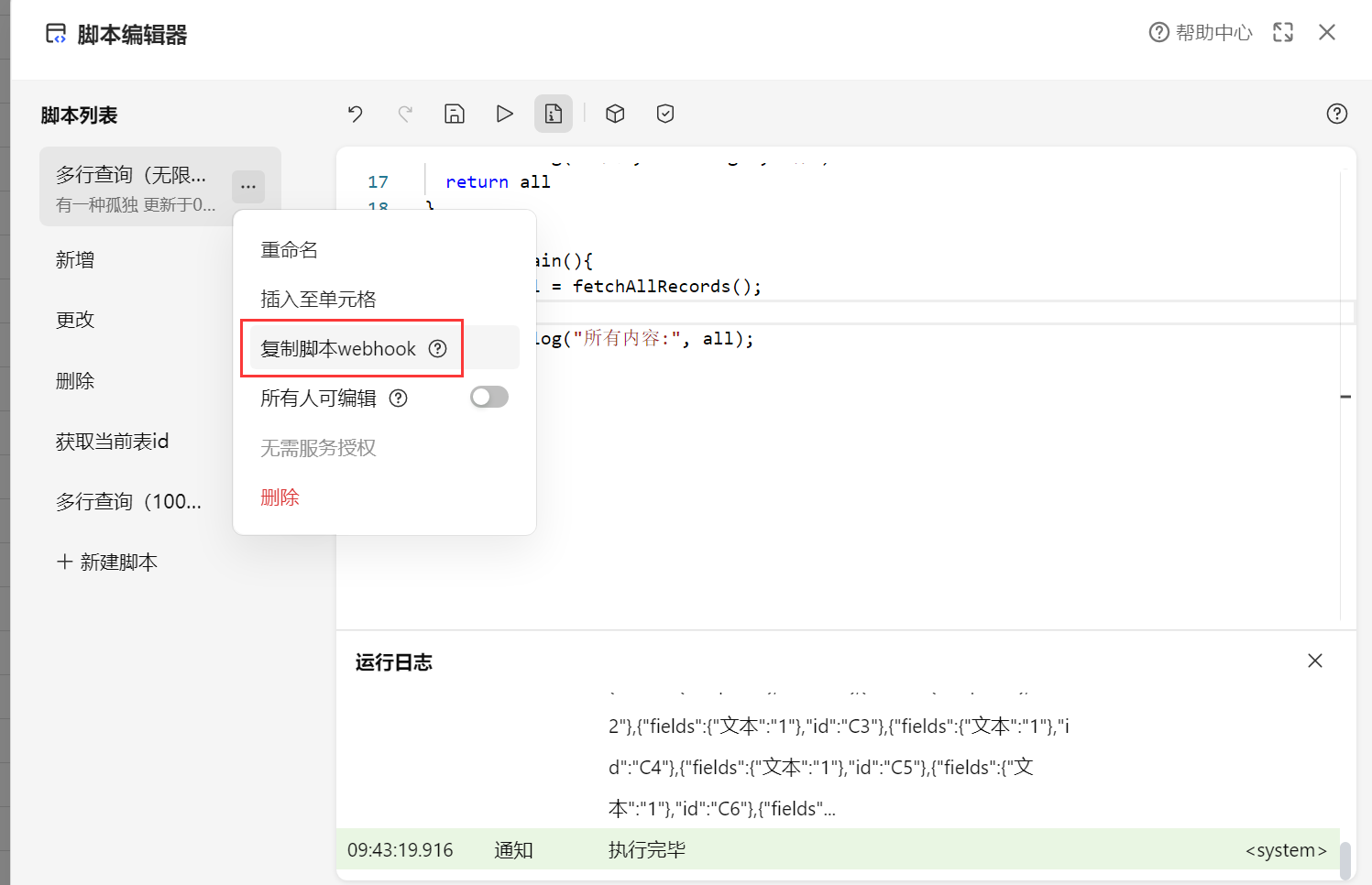
原理:通过airscript对多维表格进行数据查询更改,在通过webhook调用airscript执行脚本得到返回的数据。以此实现python等语言更改查询多维表格的数据。
|
获取当前表id
function main(){
  const activeSheet = Application.Selection.GetActiveSheet();
  console.log(activeSheet.sheetId); // 输出当前表ID
}
main()
|
获取视图信息
function main(){
  var views = Application.View.GetViews({ SheetId: 60 })
  console.log(views)
}
main()
|
多行数据查询(100条以内)
function main(){
  // 获取表 ID 为 60 的表中所有记录(最多返回 100 条)
  const all = Application.Record.GetRecords({ SheetId: 60 });
  console.log("获取的记录数:", all.records.length);
  console.log("记录详情:", all.records);

}
main()
|
多行数据查询(不限)
function fetchAllRecords() {
  const view = Application.Selection.GetActiveView()
  let all = []
  let offset = null;

  while (all.length === 0 || offset) {
    let records = Application.Record.GetRecords({
      SheetId: view.sheetId,
      ViewId: view.viewId,
      Offset: offset,
    })
    offset = records.offset
    all = all.concat(records.records)
  }
  console.log("一共", all.length, "行")
  return all
}

function main(){
  const all = fetchAllRecords();
  const lastRow = all.at(-1);
  console.log("最后一行文本内容:", lastRow.fields["文本"]);
  console.log("所有内容:", all);
  console.log("获取第1到50行的内容:", all.slice(0, 50));
  console.log("获取倒数10行的内容:", all.slice(-10));
  console.log("获取第5行的内容:", all[4].fields);
  return JSON.stringify(all);

}
main()
|
删除
先查询所有,将行号和行id想关联起来,直接用行号来删除定位行id实现删除
function fetchAllRecords() {
  const view = Application.Selection.GetActiveView()
  let all = []
  let offset = null;

  while (all.length === 0 || offset) {
    let records = Application.Record.GetRecords({
      SheetId: view.sheetId,
      ViewId: view.viewId,
      Offset: offset,
    })
    offset = records.offset
    all = all.concat(records.records)
  }
  return all
}

function main(){
  const all = fetchAllRecords();

  const findId = (num) => (all[num - 1] ? all[num - 1].id : "未找到");

  console.log("第1行ID:", findId(1));
  console.log("第10行ID:", findId(10));

  const result = Application.Record.DeleteRecords({
    SheetId: 60,
    RecordIds: [findId(1)]
})
  console.log(result)
}
main()
|
更新
先查询所有,将行号和行id想关联起来,直接用行号来删除定位行id实现更新
function fetchAllRecords() {
  const view = Application.Selection.GetActiveView()
  let all = []
  let offset = null;

  while (all.length === 0 || offset) {
    let records = Application.Record.GetRecords({
      SheetId: view.sheetId,
      ViewId: view.viewId,
      Offset: offset,
    })
    offset = records.offset
    all = all.concat(records.records)
  }
  return all
}

function main(){
  const all = fetchAllRecords();

  const findId = (num) => (all[num - 1] ? all[num - 1].id : "未找到");

  console.log("第1行ID:", findId(1));
  console.log("第10行ID:", findId(10));

  const records = Application.Record.UpdateRecords({
        SheetId: 60,
        Records: [{
            id: findId(1),
            fields: {
                 文本: 'demo@qq.com',
            }
        }],
   })
}
main()
|
新增
function main(){
  const records = Application.Record.CreateRecords({
        SheetId: 60,
        Records: [{
            fields: {
                 文本: 'demo@qq.com',
            }
        }],
    })
}
main()
|
注意事项(坑)
之前的查询有问题,在wps当中运行是良好的,但是使用py请求就不行了,原因在于 const view = Application.Selection.GetActiveView()是获取当前激活的视图,但是py请求没有激活的视图了,所以这样需要变一下
function fetchAllRecords() {
  var views = Application.View.GetViews({ SheetId: 60 });	#对应的表id
  const targetSheetId = 60;		#对应的表id
  const rawView = views[0];

  const view = {
      sheetId: targetSheetId,
      viewId: rawView.id,
      name: rawView.name,
      type: rawView.type
    };

  let all = []
  let offset = null;

  while (all.length === 0 || offset) {
    let records = Application.Record.GetRecords({
      SheetId: view.sheetId,
      ViewId: view.viewId,
      Offset: offset,
    })
    offset = records.offset
    all = all.concat(records.records)
  }
  console.log("一共", all.length, "行")
  return all
}

function main(){
  const all = fetchAllRecords();
  console.log("所有内容:", all);
  return JSON.stringify(all);

}
return main()
|
对比上面也就是将
const view = Application.Selection.GetActiveView()
|
替换为
var views = Application.View.GetViews({ SheetId: 60 });
  const targetSheetId = 60;
  const rawView = views[0];

  const view = {
      sheetId: targetSheetId,
      viewId: rawView.id,
      name: rawView.name,
      type: rawView.type
    };
|
然后在最后返回的东西添加
return JSON.stringify(all);
|
在最后的添加
python联动
import http.client
import json

# 1. 建立连接
conn = http.client.HTTPSConnection("www.kdocs.cn")

# 2. 构造 Payload
payload_dict = {"Context": {"argv": {}}}
payload = json.dumps(payload_dict)

headers = {
    'Content-Type': "application/json",
    'AirScript-Token': "5WaDxuGkPO7TMmhQTjfwn9" 		#令牌
}

# 3. 发送请求
path = "/api/v3/ide/file/481867494531/script/V2-64UcZZOl4lVQRqSJSGdCaR/sync_task"
conn.request("POST", path, payload, headers)	#webhook

res = conn.getresponse()
data = res.read()

# --- 修改后的接收 Log 逻辑 ---
response_json = json.loads(data.decode("utf-8"))

# 获取 data 部分
body = response_json.get('data', {})


print("\n===== 脚本返回值 (Result) =====")
print(body.get('result'))
|