使用v2raya来实现翻墙(无ui)
服务器使用v2raya来实现科学上网(无UI)
使用v2raya对v2ray核心进行管理,实现在本地电脑配置服务器的代理
1、安装v2raya
在https://github.com/v2rayA/v2rayA/releases下载对应的安装包,将其传入到服务器里面
在通过进行安装
sudo apt install /path/download/installer_debian_xxx_vxxx.deb ### 自行替换 deb 包所在的实际路径 |
启动v2raya
sudo systemctl start v2raya |
查看运行状态
sudo systemctl status v2raya |
配置v2raya的.config
sudo vim /etc/v2raya/config.json |
改为
{ |
2、安装v2ray和相关配置
参考网址https://github.com/v2fly/fhs-install-v2ray?tab=readme-ov-file
安装unzip后面解压要用
sudo apt update |
安裝和更新 V2Ray
bash <(curl -L https://raw.githubusercontent.com/v2fly/fhs-install-v2ray/master/install-release.sh) |
安裝最新發行的 geoip.dat 和 geosite.dat
bash <(curl -L https://raw.githubusercontent.com/v2fly/fhs-install-v2ray/master/install-dat-release.sh) |
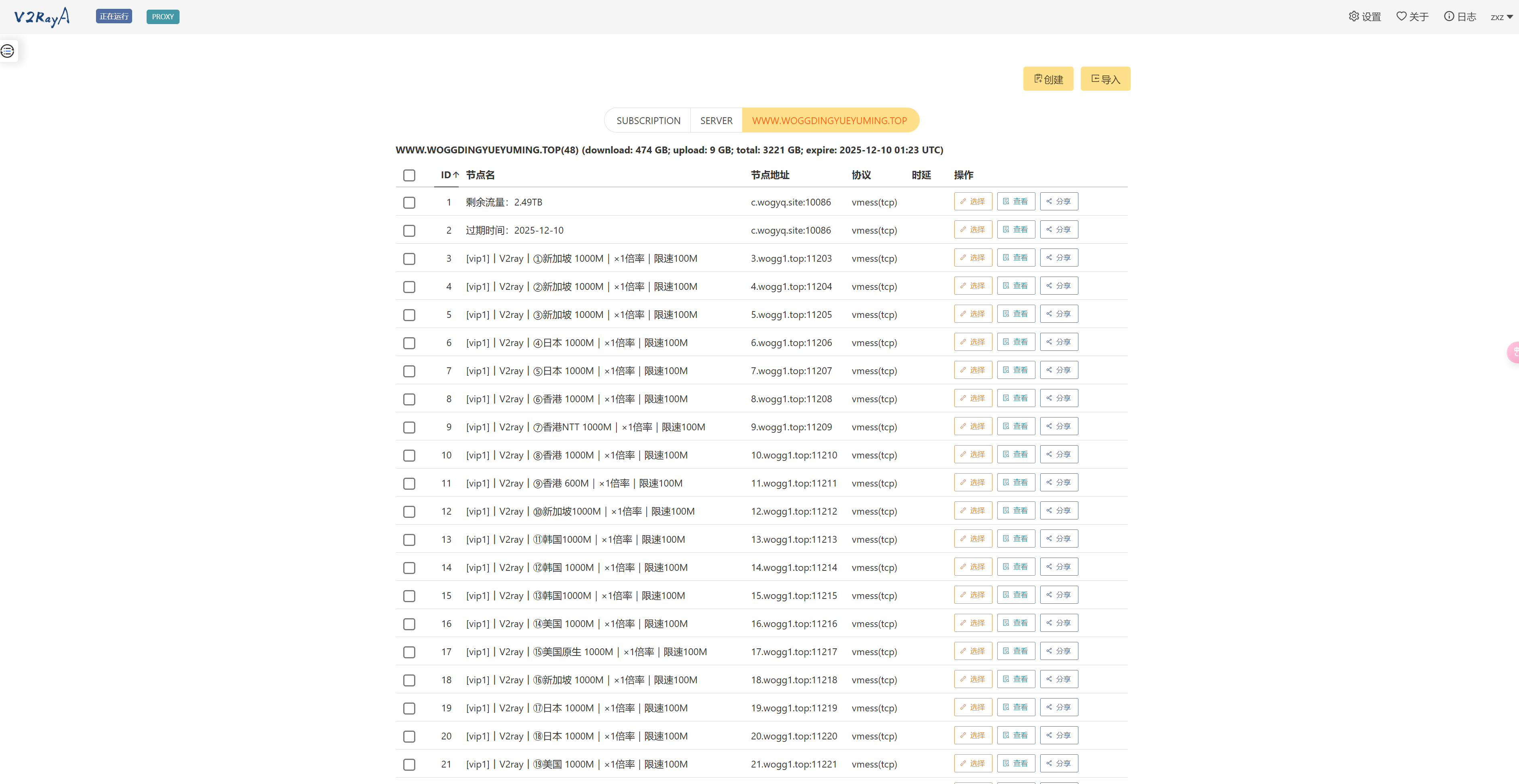
3、去浏览器输入对应网址进行配置
http://<your-server-ip>:2017 |
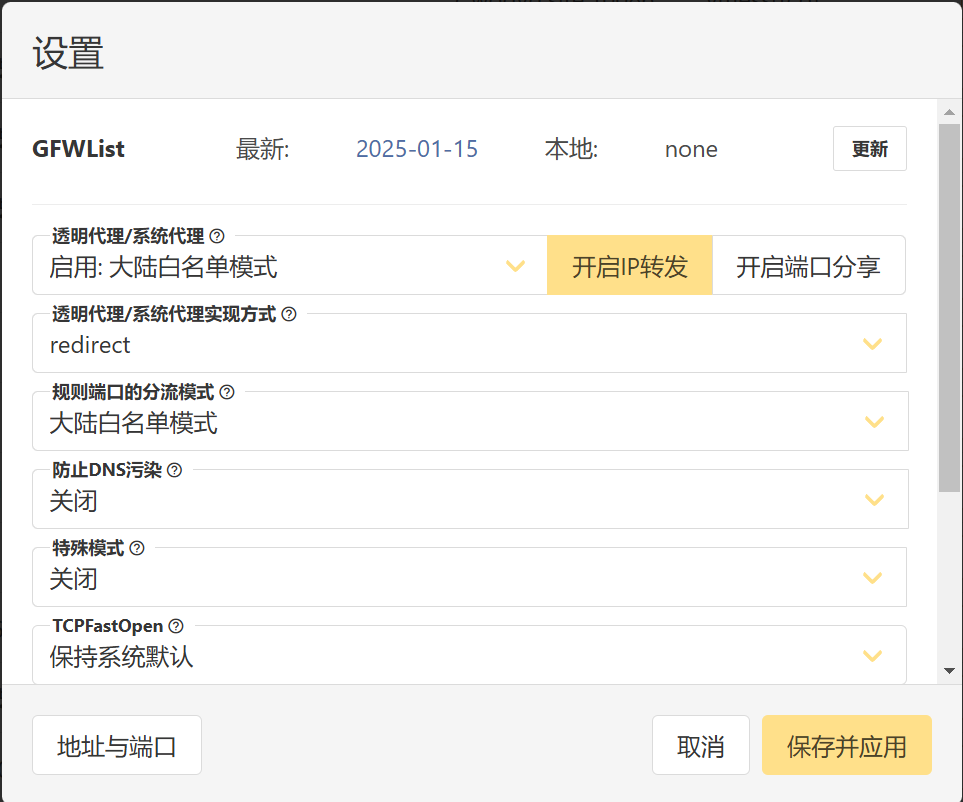
设置里面这么在保存一下
4、检查是否成功
curl -I https://www.google.com |
很快能进行结果返回即代表成功